Need to convert HEX to HSL values with precision? This guide explains the math, shows robust JavaScript and Python functions, clarifies tricky edge cases like alpha and shorthand HEX, and shares practical workflows for designers and developers. By the end, you will be able to implement reliable conversions, format outputs for CSS, and understand the subtleties that affect accuracy.
HEX vs HSL in a nutshell
HEX encodes a color as six (or eight) hexadecimal digits representing red, green, and blue components in the sRGB color space. HSL represents the same sRGB color using hue (angle in degrees), saturation (percentage), and lightness (percentage). HSL is often preferable for design tasks because it separates hue from perceived lightness, making it intuitive to adjust palettes consistently.
| Model | Components | Ranges | Notes |
|---|---|---|---|
| HEX | R, G, B (and optional A) | 00–FF per channel | #RRGGBB, #RGB; alpha via #RRGGBBAA or #RGBA |
| HSL | H, S, L (and optional alpha) | H: 0–360, S: 0%–100%, L: 0%–100% | CSS supports hsl(h s% l% / a) |
The precise math: HEX to HSL step by step
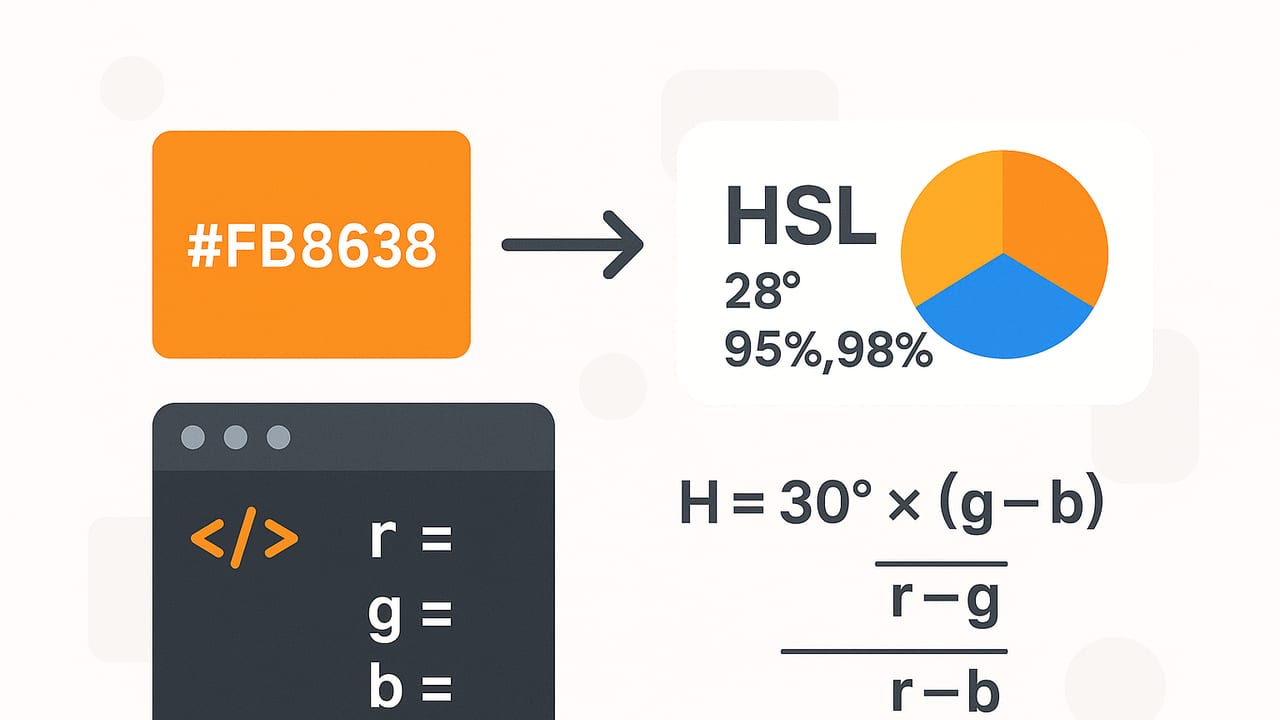
HSL is defined over gamma-encoded sRGB, which means you should not linearize RGB before computing H, S, and L. The conversion follows these steps:
- Parse HEX to integer R, G, B in 0–255 (handle shorthand and optional alpha).
- Normalize to r, g, b in 0–1 by dividing by 255.
- Find max = max(r, g, b), min = min(r, g, b), and delta = max − min.
- Compute lightness: L = (max + min) / 2.
- Compute saturation:
- If delta == 0: S = 0 (achromatic)
- Else: S = delta / (1 − |2L − 1|)
- Compute hue:
- If delta == 0: H = 0 (undefined hue, conventionally 0)
- If max == r: H = 60 × mod((g − b) / delta, 6)
- If max == g: H = 60 × ((b − r) / delta + 2)
- If max == b: H = 60 × ((r − g) / delta + 4)
Finally, format as H in degrees, and S/L as percentages. If you parsed an alpha channel, carry it as a 0–1 value for HSLA.
Tip: HSL here assumes sRGB. If your source colors are in a wide-gamut space (Display P3, Adobe RGB), convert to sRGB first to avoid hue and lightness shifts.
Robust JavaScript: hex to HSL (with alpha and shorthand)
// Converts HEX to HSL(A). Returns { h, s, l, a } in degrees/percent and 0–1 alpha.
function hexToHsl(hex) {
  if (typeof hex !== 'string') throw new TypeError('Expected a string');
  let h = hex.trim();
  if (h[0] === '#') h = h.slice(1);
  if (![3, 4, 6, 8].includes(h.length)) throw new Error('Invalid hex length');
  // Expand shorthand (#RGB, #RGBA) to full form
  if (h.length === 3 || h.length === 4) {
    h = h.split('').map(ch => ch + ch).join('');
  }
  const hasAlpha = h.length === 8;
  const r = parseInt(h.slice(0, 2), 16) / 255;
  const g = parseInt(h.slice(2, 4), 16) / 255;
  const b = parseInt(h.slice(4, 6), 16) / 255;
  const a = hasAlpha ? parseInt(h.slice(6, 8), 16) / 255 : 1;

  const max = Math.max(r, g, b);
  const min = Math.min(r, g, b);
  const d = max - min;

  let H = 0;
  let L = (max + min) / 2;
  let S = 0;

  if (d !== 0) {
    S = d / (1 - Math.abs(2 * L - 1));
    switch (max) {
      case r:
        H = 60 * (((g - b) / d) % 6);
        break;
      case g:
        H = 60 * ((b - r) / d + 2);
        break;
      case b:
        H = 60 * ((r - g) / d + 4);
        break;
    }
  }

  if (H < 0) H += 360; // keep within [0, 360)

  return { h: H, s: S * 100, l: L * 100, a };
}

// Format as modern CSS 'hsl(H S% L% / A)' with configurable precision
function toCssHsl(hsl, precision = 1) {
  const round = (v) => Number.parseFloat(v.toFixed(precision));
  const H = round(hsl.h);
  const S = round(hsl.s);
  const L = round(hsl.l);
  const A = hsl.a !== undefined ? round(hsl.a) : 1;
  return A === 1 ? `hsl(${H} ${S}% ${L}%)` : `hsl(${H} ${S}% ${L}% / ${A})`;
}

// Example
// toCssHsl(hexToHsl('#6495ED')) -> 'hsl(218.5 79.1% 66.1%)'
Clean Python implementation
def hex_to_hsl(hex_str: str):
    h = hex_str.strip()
    if h.startswith('#'):
        h = h[1:]
    if len(h) not in (3, 4, 6, 8):
        raise ValueError('Invalid hex length')
    if len(h) in (3, 4):
        h = ''.join(ch * 2 for ch in h)
    has_alpha = len(h) == 8
    r = int(h[0:2], 16) / 255.0
    g = int(h[2:4], 16) / 255.0
    b = int(h[4:6], 16) / 255.0
    a = int(h[6:8], 16) / 255.0 if has_alpha else 1.0

    mx = max(r, g, b)
    mn = min(r, g, b)
    d = mx - mn

    L = (mx + mn) / 2.0
    if d == 0:
        H = 0.0
        S = 0.0
    else:
        S = d / (1.0 - abs(2.0 * L - 1.0))
        if mx == r:
            H = 60.0 * (((g - b) / d) % 6.0)
        elif mx == g:
            H = 60.0 * (((b - r) / d) + 2.0)
        else:
            H = 60.0 * (((r - g) / d) + 4.0)
    if H < 0.0:
        H += 360.0

    return {'h': H, 's': S * 100.0, 'l': L * 100.0, 'a': a}

# Example
# hex_to_hsl('#6495ED') -> {'h': 218.5..., 's': 79.1..., 'l': 66.0..., 'a': 1.0}
Handling alpha and shorthand HEX correctly
Common HEX formats and how to interpret alpha:
| Format | Meaning | Alpha handling |
|---|---|---|
| #RGB | #RRGGBB with each digit duplicated | No alpha |
| #RRGGBB | Standard 24-bit color | No alpha |
| #RGBA | #RRGGBBAA with each digit duplicated | AA is alpha 00–FF mapped to 0–1 |
| #RRGGBBAA | 32-bit color with alpha | AA is alpha 00–FF mapped to 0–1 |
HSL itself does not change with alpha. If you output CSS, use the modern space syntax with an explicit alpha channel:
/* CSS examples */
color: hsl(218.5 79.1% 66.1%);
background: hsl(218.5 79.1% 66.1% / 0.5); /* 50% opacity */
Rounding, formatting, and reproducibility
- Hue rounding: 0.1° is often precise enough; some teams prefer integer degrees for consistency.
- Saturation/Lightness: Round to 0.1% or 1% depending on your tolerance and file size concerns.
- Canonical ranges: Keep H in [0, 360), S and L in [0, 100]. If H computes to 360, wrap to 0 for canonical form.
- String output: Prefer the space-separated CSS Level 4 syntax: hsl(H S% L% / A).
Accuracy tips and pitfalls
- Do not linearize for HSL: The HSL model is defined on gamma-encoded sRGB components. Linearizing will skew hue and lightness.
- Color management: If your hex values represent Display P3 or Adobe RGB, convert to sRGB before computing HSL to match CSS and most design tools.
- Achromatic edge case: When R == G == B, delta is zero. Saturation is zero and hue is conventionally set to 0. Do not emit NaN.
- HSV vs HSL vs HSB: Many tools use HSB as an alias for HSV, not HSL. Confirm the model when comparing values.
- Perceptual uniformity: HSL is more intuitive than RGB but not perceptually uniform. For high-accuracy color-difference tasks, consider OKLCH or CIELAB for comparisons; convert back to HSL for CSS output if needed.
Practical workflows for design and code
Designers
- Palette tuning: Convert brand HEX colors to HSL, then adjust saturation and lightness consistently across hues to craft accessible tints and shades.
- Theming: Keep hue fixed while varying lightness to build elevation and state layers, e.g., primary-90, primary-70, primary-50.
- Accessibility: When adjusting lightness for contrast ratios, HSL provides a quick lever. Verify with contrast tools since perceived contrast depends on more than L.
Developers
- Token pipelines: Store base colors in HEX, generate HSL tokens at build time, and emit CSS variables for theming.
- Batch conversion: Precompute conversions server-side or at build time to avoid runtime churn in the browser.
- Testing: Add unit tests for known color pairs (see below). Float rounding differences are normal; test with tolerances.
Known-good examples (for tests)
| HEX | Expected HSL | Notes |
|---|---|---|
| #000000 | hsl(0, 0%, 0%) | Black, achromatic |
| #ffffff | hsl(0, 0%, 100%) | White, achromatic |
| #808080 | hsl(0, 0%, 50%) | Middle gray |
| #ff0000 | hsl(0, 100%, 50%) | Red primary |
| #00ff00 | hsl(120, 100%, 50%) | Green primary |
| #0000ff | hsl(240, 100%, 50%) | Blue primary |
| #6495ED | hsl(219, 79%, 66%) | Cornflowerblue |
Common questions
Why do some tools show H as 360 instead of 0?
Hue is cyclical. 0 and 360 represent the same angle. Canonicalize by wrapping 360 to 0 for stable text output and diffs.
What if the input includes transparency?
Alpha does not affect the HSL values. Preserve it separately and output HSLA with an explicit alpha, e.g., hsl(210 50% 40% / 0.5).
My HSL differs slightly from a design tool. Who is right?
Minor differences often come from rounding and differing output precision. Larger mismatches usually indicate color space issues (e.g., P3 vs sRGB) or an HSV vs HSL confusion.
Is HSL good for color contrast calculations?
Not directly. Contrast standards reference relative luminance computed from linear sRGB, not HSL lightness. Use dedicated contrast tools for compliance, and adjust your HSL lightness based on those results.
Putting it together: a tiny CLI batch converter (Python)
import sys

def fmt_hsl(hsl, prec=1):
    h = round(hsl['h'], prec)
    s = round(hsl['s'], prec)
    l = round(hsl['l'], prec)
    a = hsl.get('a', 1.0)
    return f"hsl({h} {s}% {l}%{' / ' + str(round(a, prec)) if a != 1 else ''})"

if __name__ == '__main__':
    for arg in sys.argv[1:]:
        try:
            hsl = hex_to_hsl(arg)
            print(arg, '→', fmt_hsl(hsl))
        except Exception as e:
            print(arg, 'error:', e)
Checklist for reliable conversions
- Validate input and support #RGB, #RRGGBB, #RGBA, #RRGGBBAA.
- Compute H, S, L from gamma-encoded sRGB; do not linearize.
- Normalize and wrap hue to [0, 360); clamp S and L to [0, 100].
- Round with consistent precision and format using CSS space syntax.
- If sources are wide-gamut, convert to sRGB first.
- Test with known colors and compare within a small tolerance.
With these steps, you can confidently convert HEX to HSL values in any pipeline, from front-end theming to design token generation and batch processing.
If you prefer a visual workflow on iPhone or iPad, the Color Viewfinder app can extract HEX from photos and display RGB, HSL, and HSB values instantly alongside palette export options.