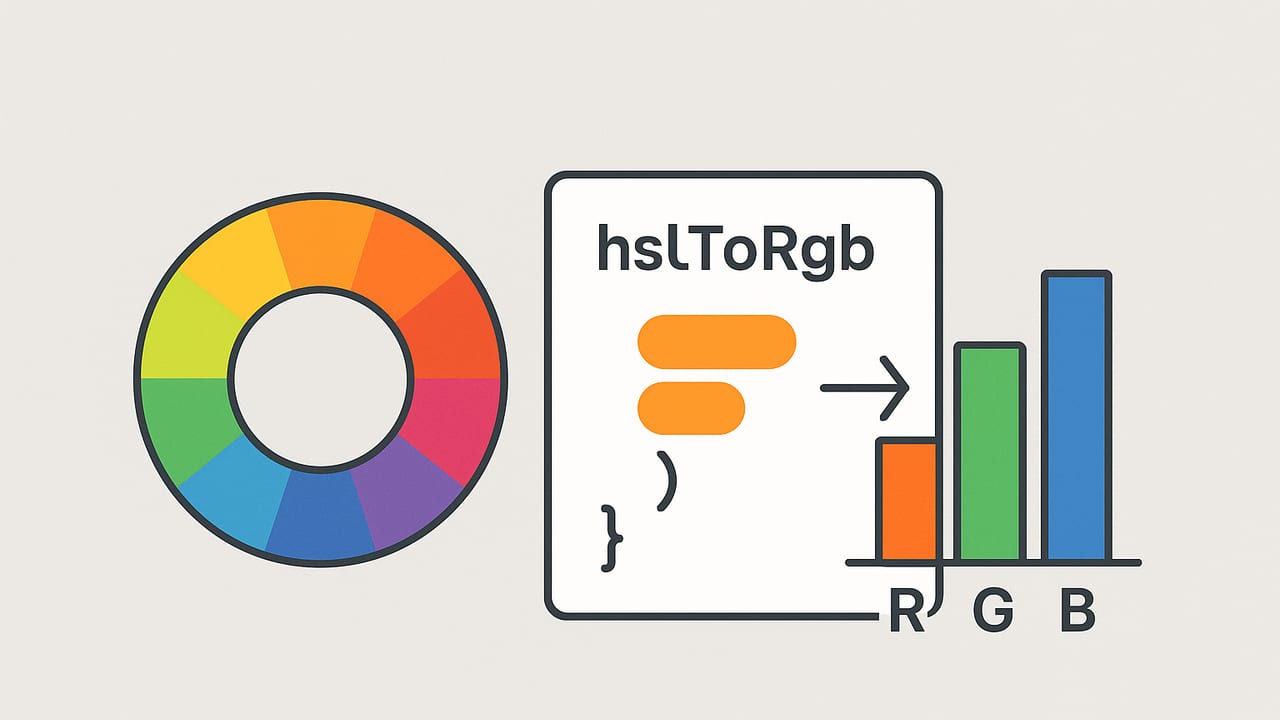
Designers, developers, and data visualizers often need to convert HSL to RGB to align creative intent with the realities of screens and graphics APIs. This guide explains the math behind HSL → RGB, shows tested implementations in JavaScript, Python, and Swift, and highlights accuracy pitfalls so your colors match across tools and platforms.
What HSL and RGB Actually Represent
Before conversion, a quick refresher helps avoid common mistakes:
- RGB (Red, Green, Blue) is an additive model tied to display devices. Values are typically 8-bit per channel integers (0–255) in sRGB.
- HSL (Hue, Saturation, Lightness) is a perceptually oriented representation of sRGB where:
- Hue is an angle in degrees [0, 360), mapping color around a wheel.
- Saturation is the intensity of color [0, 1] (or 0–100%).
- Lightness is the perceived light/dark mix [0, 1] (or 0–100%).
Important: HSL is defined on nonlinear sRGB, not on linearized RGB. That means you generally do not gamma-correct before converting.
Why Convert HSL to RGB?
- Implementation targets: Graphics APIs, color pickers, and image libraries typically require RGB (or Hex).
- Design control: HSL is intuitive for adjusting hue or lightness systematically (e.g., building UI states or generating palettes).
- Web & CSS: Browsers accept both
hsl()andrgb(), but assets (icons, bitmaps, exports) often end up in RGB or Hex.
The HSL → RGB Formula (Chroma Method)
Given H in degrees [0, 360), S and L in [0, 1]:
- Compute chroma: C = (1 − |2L − 1|) × S
- Normalize hue: H' = H / 60 (sextant index)
- Second largest component: X = C × (1 − |(H' mod 2) − 1|)
- Match lightness: m = L − C/2
- Assign temporary RGB' based on hue sector:
- 0 ≤ H < 60: (C, X, 0)
- 60 ≤ H < 120: (X, C, 0)
- 120 ≤ H < 180: (0, C, X)
- 180 ≤ H < 240: (0, X, C)
- 240 ≤ H < 300: (X, 0, C)
- 300 ≤ H < 360: (C, 0, X)
- Final RGB in [0, 1]: R = R' + m, G = G' + m, B = B' + m
- Scale to 8-bit: round(R × 255), round(G × 255), round(B × 255)
Units and Normalization
- Input: H in degrees; S and L as either [0–1] or [0–100%]. If using percentages, divide by 100.
- Hue wrap: map any H to [0, 360) via
H = ((H % 360) + 360) % 360. - Clamp: ensure S and L in [0, 1] after conversion.
Worked Example
Convert HSL(210°, 60%, 50%) to RGB:
- S = 0.6, L = 0.5
- C = (1 − |2×0.5 − 1|) × 0.6 = (1 − 0) × 0.6 = 0.6
- H' = 210 / 60 = 3.5 ⇒ X = 0.6 × (1 − |(3.5 mod 2) − 1|) = 0.6 × (1 − |1.5 − 1|) = 0.6 × 0.5 = 0.3
- m = 0.5 − 0.6/2 = 0.2
- Hue sector 180–240 ⇒ (R', G', B') = (0, X, C) = (0, 0.3, 0.6)
- Final RGB = (0.2, 0.5, 0.8) ⇒ (51, 128, 204) ⇒ Hex #3380CC
Pro tip: Do not linearize sRGB when converting HSL to RGB. HSL is defined in the gamma-encoded sRGB space; linearizing will skew hues and lightness.
Reference Implementations
The following functions accept H in degrees and S/L in percentages (0–100). Adjust if your inputs differ.
JavaScript: hsl to rgb
function hslToRgb(h, s, l) {
  // h: 0..360, s: 0..100, l: 0..100
  h = ((h % 360) + 360) % 360;
  s = Math.min(Math.max(s / 100, 0), 1);
  l = Math.min(Math.max(l / 100, 0), 1);

  const c = (1 - Math.abs(2 * l - 1)) * s;
  const hPrime = h / 60;
  const x = c * (1 - Math.abs((hPrime % 2) - 1));

  let r1 = 0, g1 = 0, b1 = 0;
  if (0 <= hPrime && hPrime < 1) { r1 = c; g1 = x; b1 = 0; }
  else if (1 <= hPrime && hPrime < 2) { r1 = x; g1 = c; b1 = 0; }
  else if (2 <= hPrime && hPrime < 3) { r1 = 0; g1 = c; b1 = x; }
  else if (3 <= hPrime && hPrime < 4) { r1 = 0; g1 = x; b1 = c; }
  else if (4 <= hPrime && hPrime < 5) { r1 = x; g1 = 0; b1 = c; }
  else { r1 = c; g1 = 0; b1 = x; }

  const m = l - c / 2;
  const r = Math.round((r1 + m) * 255);
  const g = Math.round((g1 + m) * 255);
  const b = Math.round((b1 + m) * 255);

  const toHex = (v) => v.toString(16).padStart(2, '0');
  const hex = '#' + toHex(r) + toHex(g) + toHex(b);

  return { r, g, b, hex };
}
Python: hsl to rgb
def hsl_to_rgb(h, s, l):
    # h: 0..360, s: 0..100, l: 0..100
    h = (h % 360 + 360) % 360
    s = max(0.0, min(1.0, s / 100.0))
    l = max(0.0, min(1.0, l / 100.0))

    c = (1 - abs(2 * l - 1)) * s
    h_prime = h / 60.0
    x = c * (1 - abs((h_prime % 2) - 1))

    if 0 <= h_prime < 1: r1, g1, b1 = c, x, 0
    elif 1 <= h_prime < 2: r1, g1, b1 = x, c, 0
    elif 2 <= h_prime < 3: r1, g1, b1 = 0, c, x
    elif 3 <= h_prime < 4: r1, g1, b1 = 0, x, c
    elif 4 <= h_prime < 5: r1, g1, b1 = x, 0, c
    else: r1, g1, b1 = c, 0, x

    m = l - c / 2.0
    r = round((r1 + m) * 255)
    g = round((g1 + m) * 255)
    b = round((b1 + m) * 255)
    return r, g, b

# Quick check
assert hsl_to_rgb(210, 60, 50) == (51, 128, 204)
Swift: hsl to rgb
import Foundation

func hslToRgb(h: Double, s: Double, l: Double) -> (r: Int, g: Int, b: Int) {
    var H = h.truncatingRemainder(dividingBy: 360)
    if H < 0 { H += 360 }
    let S = max(0.0, min(1.0, s / 100.0))
    let L = max(0.0, min(1.0, l / 100.0))

    let c = (1 - abs(2 * L - 1)) * S
    let hPrime = H / 60.0
    let x = c * (1 - abs(fmod(hPrime, 2) - 1))

    let (r1, g1, b1): (Double, Double, Double)
    switch hPrime {
    case 0..<1: (r1, g1, b1) = (c, x, 0)
    case 1..<2: (r1, g1, b1) = (x, c, 0)
    case 2..<3: (r1, g1, b1) = (0, c, x)
    case 3..<4: (r1, g1, b1) = (0, x, c)
    case 4..<5: (r1, g1, b1) = (x, 0, c)
    default:    (r1, g1, b1) = (c, 0, x)
    }

    let m = L - c / 2
    let r = Int(round((r1 + m) * 255))
    let g = Int(round((g1 + m) * 255))
    let b = Int(round((b1 + m) * 255))
    return (r, g, b)
}
Verified Examples
Use this table to sanity-check your own hsl to rgb converter:
| HSL (H, S, L) | RGB (0–255) | Hex | Notes |
|---|---|---|---|
| 0, 100%, 50% | 255, 0, 0 | #FF0000 | Pure red |
| 120, 100%, 50% | 0, 255, 0 | #00FF00 | Pure green |
| 240, 100%, 50% | 0, 0, 255 | #0000FF | Pure blue |
| 30, 100%, 50% | 255, 128, 0 | #FF8000 | Vivid orange |
| 210, 60%, 50% | 51, 128, 204 | #3380CC | Worked example above |
| 0, 0%, 50% | 128, 128, 128 | #808080 | Gray axis (S = 0) |
Common Pitfalls (and How to Avoid Them)
- Gamma confusion: HSL is defined on gamma-encoded sRGB. Do not linearize before converting.
- Unit mix-ups: Ensure S/L inputs are either percents or fractions, not a mix. Normalize consistently.
- Hue wrapping: Accept negative or >360 hues and wrap to [0, 360). This avoids edge conditions in animations or user input.
- Rounding vs truncation: Use nearest-integer rounding when scaling to 0–255 to avoid systematic darkening or color bias.
- Clamping: After rounding, clamp to [0, 255]. Floating-point noise can push 255.0000001 to 256 without clamping.
- Gray axis: When S = 0, RGB must be equal (R = G = B). If your code yields unequal channels, the sector logic is wrong.
- HSV vs HSL: Do not substitute HSV (a.k.a. HSB) math; HSV uses different lightness/value geometry and will produce different RGB.
Testing Your Converter
A small test suite goes a long way. At minimum:
- Test all hue sector boundaries (0, 60, 120, 180, 240, 300, 359.999).
- Test edge cases: S = 0 (grays), L = 0 (black), L = 1 (white), and extreme hues (−720, 720).
- Cross-check a few known pairs (table above) and compare with a trusted reference (browser
hsl()in DevTools).
# Tiny Python smoke tests
assert hsl_to_rgb(0, 100, 50)   == (255, 0, 0)
assert hsl_to_rgb(120, 100, 50) == (0, 255, 0)
assert hsl_to_rgb(240, 100, 50) == (0, 0, 255)
assert hsl_to_rgb(0, 0, 50)     == (128, 128, 128)
HSL vs HSV (and When It Matters)
HSL and HSV share hue but define the third axis differently:
- HSL "L" balances the distance between black and white; mid lightness at 50% for fully saturated colors.
- HSV/HSB "V/B" measures the maximum channel; fully saturated colors hit 100% value even for dark hues.
Outcome: HSL is often nicer for generating tints/shades and maintaining perceptual balance; HSV is common for pickers and brightness-adjustments. Don't mix formulas—explicitly choose HSL or HSV based on your intent.
Accessibility and Contrast Considerations
While HSL "L" tracks perceived lightness better than raw RGB, it is not perceptually uniform. If you need guaranteed readable contrast, measure ratios (e.g., WCAG) on the resulting RGB pairs instead of assuming an HSL delta equates to equal perceptual change.
Alternative Formulas: q/p Variant
You may see an equivalent formulation using intermediates q and p with a helper to convert hue to channel. It produces the same results as the chroma method above. Prefer the chroma method for clarity and for aligning with modern color model explanations.
Performance Notes
- Branch prediction: Implement sector mapping with table-driven logic if converting in tight loops.
- Vectorization: For batch conversions, use typed arrays (JS) or SIMD-friendly code (Swift/Metal/NumPy).
- Avoid repeated allocation: Reuse buffers and precompute percent-to-fraction for bulk inputs.
Wrap-Up
Accurate HSL to RGB conversion comes down to consistent units, correct chroma math, careful rounding, and rigorous tests. With the code above and the verification table, you can implement a converter that matches browsers and design tools, producing reliable RGB and Hex outputs for any workflow.
If you like working with colors on iPhone or iPad, the Color Viewfinder app can extract palette colors from photos and display RGB, HEX, HSL, and HSB values side-by-side, which makes validating conversions quick and visual.