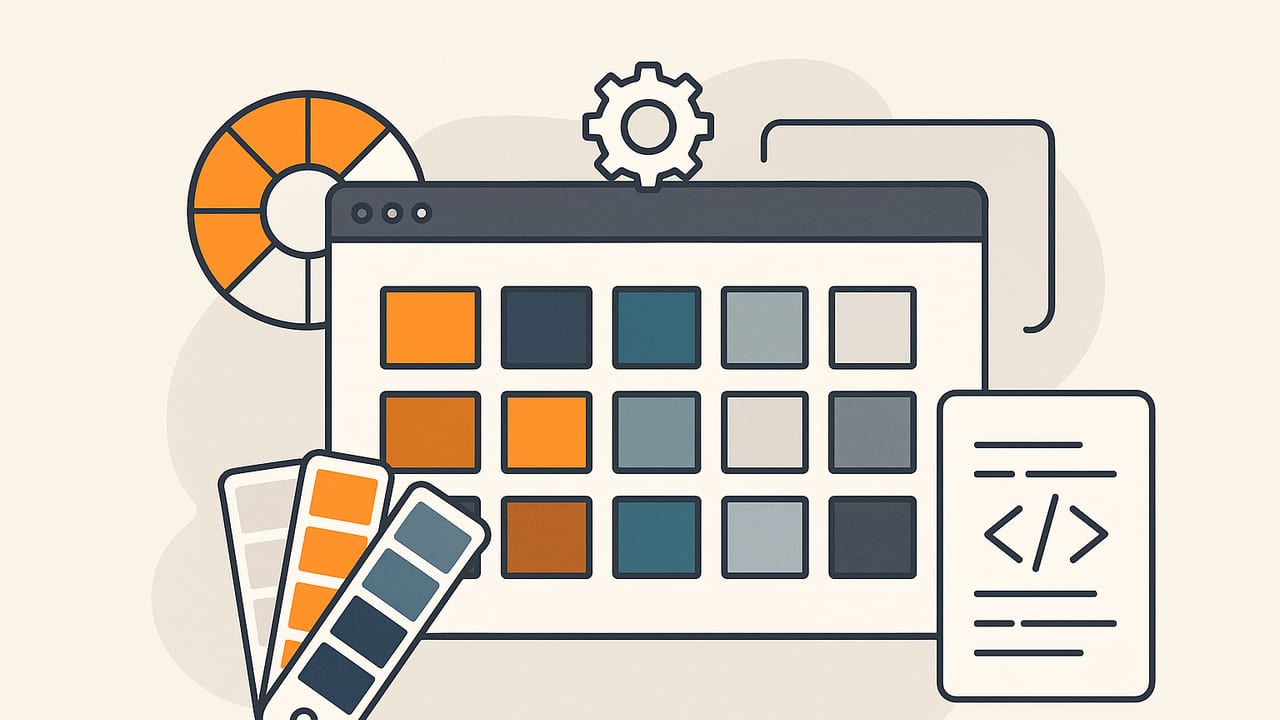
A designer color palette generator is more than a novelty—it’s a decision engine. It distills millions of pixels (or infinite color possibilities) into a handful of dependable swatches you can deploy across interfaces, brands, interiors, and illustrations. This guide explains how modern generators work, how to evaluate their results, and how to build or refine your own palette workflow with practical examples and code.
Great palettes are chosen twice: first by the algorithm, then by the designer.
What makes a great palette generator?
A reliable generator should balance accuracy, aesthetics, and practicality. Look for these qualities:
- Perceptual accuracy: Colors are grouped by how humans see them, not just by raw RGB values.
- Stability: Small changes in an image or seed set shouldn’t completely reshuffle the palette.
- Control: Options to prioritize skin tones, materials, brand anchors, or neutrals.
- Gamut awareness: Outputs that respect sRGB (for web) or wider gamuts (Display P3) when needed.
- Role-aware sorting: Palettes organized by hue, chroma, and lightness so you can assign roles (background, text, accent) quickly.
- Export-friendly: HEX, RGB, HSL/HSB, ASE/ACO/JSON, plus contrast checks for accessibility.
Core algorithms behind palette generators
Most palette tools rely on color quantization and clustering. Here are the main approaches and where they shine.
K-means clustering (often in CIELAB)
What it does: Iteratively groups colors into k clusters with minimal distance between any pixel and its centroid.
Why designers like it: Flexible, predictable with good initialization, and can be adapted to perceptual distances (e.g., CIEDE2000).
Watch-outs: Sensitive to initialization; can miss rare but important accents without pre-seeding.
Median cut
What it does: Recursively splits the color space into boxes of roughly equal population, then picks representative colors.
Why designers like it: Fast and deterministic; great for thumbnails and quick previews.
Watch-outs: Operates in RGB unless adapted; may over-represent common mid-tones and undershoot accents.
Octree quantization
What it does: Builds a tree of color buckets at multiple depths; prunes to keep the most significant nodes.
Why designers like it: Memory-efficient and fast; useful in constrained environments.
Watch-outs: Results can feel rigid if not post-processed in a perceptual space.
Perceptual distance metrics
Whichever algorithm you use, the distance metric matters. Distances computed in CIELAB or OKLab and compared with CIEDE2000 or OKLab ΔE better reflect human vision (especially for near-neutrals and reds) than Euclidean RGB.
Algorithm comparison at a glance
| Method | Speed | Control | Palette Stability | Best For |
|---|---|---|---|---|
| K-means (Lab) | Medium | High (seeded) | Medium–High | Brand/UI palettes, accent discovery |
| Median Cut | Fast | Low–Medium | High (deterministic) | Quick previews, thumbnails |
| Octree | Fast | Medium | Medium | Memory-constrained use |
| Hybrid + ΔE | Medium | High | High | Production-grade palette libraries |
From pixels to a usable palette: a pipeline
- Preprocess the image: Downscale to 256–512 px wide to reduce noise; optionally blur slightly to merge micro-textures.
- Convert to a perceptual space: Transform sRGB → Linear → XYZ → Lab (or OKLab). Work in this space for clustering.
- Cluster intelligently: Use k-means with k = 5–12 depending on your needs. Consider seeding with known anchors (brand color, skin tone).
- Merge and de-duplicate: Collapse centroids closer than ΔE 2–3 (nearly indistinguishable in most contexts).
- Sort for roles: Order by lightness for backgrounds/foregrounds; within each band, sort by chroma then hue.
- Evaluate contrast: Test text/background pairs against WCAG AA/AAA where appropriate.
- Export in multiple formats: HEX for web, RGB for CSS/Canvas, HSL/HSB for creative adjustments, plus your preferred palette file.
Code: a compact JavaScript k-means in CIELAB
The snippet below shows an approachable way to extract a palette in the browser. It downsamples the image on a canvas, converts pixels to Lab, clusters with k-means, then returns HEX swatches.
// Minimal palette extractor using k-means in Lab
async function extractPalette(imgEl, k = 8, maxIters = 12) {
  const canvas = document.createElement('canvas');
  const ctx = canvas.getContext('2d', { willReadFrequently: true });
  const targetW = 320;
  const scale = targetW / imgEl.naturalWidth;
  canvas.width = targetW;
  canvas.height = Math.max(1, Math.round(imgEl.naturalHeight * scale));
  ctx.drawImage(imgEl, 0, 0, canvas.width, canvas.height);
  const { data } = ctx.getImageData(0, 0, canvas.width, canvas.height);

  // Convert sRGB pixel to Lab
  function srgbToLinear(c) { c /= 255; return c <= 0.04045 ? c / 12.92 : Math.pow((c + 0.055) / 1.055, 2.4); }
  function rgbToXyz(r, g, b) {
    r = srgbToLinear(r); g = srgbToLinear(g); b = srgbToLinear(b);
    const x = r * 0.4124564 + g * 0.3575761 + b * 0.1804375;
    const y = r * 0.2126729 + g * 0.7151522 + b * 0.0721750;
    const z = r * 0.0193339 + g * 0.1191920 + b * 0.9503041;
    return [x, y, z];
  }
  function xyzToLab(x, y, z) {
    // D65 reference white
    const Xn = 0.95047, Yn = 1.00000, Zn = 1.08883;
    function f(t) { return t > 0.008856 ? Math.cbrt(t) : (7.787 * t + 16 / 116); }
    const fx = f(x / Xn), fy = f(y / Yn), fz = f(z / Zn);
    return [116 * fy - 16, 500 * (fx - fy), 200 * (fy - fz)];
  }
  function rgbToLab(r, g, b) { const [x, y, z] = rgbToXyz(r, g, b); return xyzToLab(x, y, z); }
  function labToHex(L, a, b) {
    // Lab -> XYZ
    const Yn = 1, Xn = 0.95047, Zn = 1.08883;
    const fy = (L + 16) / 116;
    const fx = fy + a / 500;
    const fz = fy - b / 200;
    function invf(t) { const t3 = t * t * t; return t3 > 0.008856 ? t3 : (t - 16 / 116) / 7.787; }
    const X = Xn * invf(fx), Y = Yn * invf(fy), Z = Zn * invf(fz);
    // XYZ -> sRGB
    let r =  3.2404542 * X - 1.5371385 * Y - 0.4985314 * Z;
    let g = -0.9692660 * X + 1.8760108 * Y + 0.0415560 * Z;
    let bl = 0.0556434 * X - 0.2040259 * Y + 1.0572252 * Z;
    function linearToSrgb(u) { return u <= 0.0031308 ? 12.92 * u : 1.055 * Math.pow(u, 1/2.4) - 0.055; }
    r = Math.min(1, Math.max(0, linearToSrgb(r)));
    g = Math.min(1, Math.max(0, linearToSrgb(g)));
    bl = Math.min(1, Math.max(0, linearToSrgb(bl)));
    const R = Math.round(r * 255), G = Math.round(g * 255), B = Math.round(bl * 255);
    return '#' + [R, G, B].map(v => v.toString(16).padStart(2, '0')).join('');
  }

  // Sample pixels
  const pixels = [];
  for (let i = 0; i < data.length; i += 16) { // stride for speed
    const r = data[i], g = data[i + 1], b = data[i + 2], a = data[i + 3];
    if (a < 200) continue;
    const lab = rgbToLab(r, g, b);
    pixels.push(lab);
  }

  // Init centroids with k-means++ (simplified)
  const centroids = [];
  centroids.push(pixels[Math.floor(Math.random() * pixels.length)]);
  while (centroids.length < k) {
    const dists = pixels.map(p => Math.min(...centroids.map(c => dist2(p, c))));
    const sum = dists.reduce((a, b) => a + b, 0);
    let r = Math.random() * sum, idx = 0;
    for (let i = 0; i < dists.length; i++) { r -= dists[i]; if (r <= 0) { idx = i; break; } }
    centroids.push(pixels[idx]);
  }

  function dist2(a, b) { // squared Euclidean in Lab
    const dL = a[0] - b[0], da = a[1] - b[1], db = a[2] - b[2];
    return dL*dL + da*da + db*db;
  }

  for (let iter = 0; iter < maxIters; iter++) {
    const groups = Array.from({ length: k }, () => []);
    for (const p of pixels) {
      let best = 0, bestD = Infinity;
      for (let c = 0; c < k; c++) { const d = dist2(p, centroids[c]); if (d < bestD) { bestD = d; best = c; } }
      groups[best].push(p);
    }
    for (let c = 0; c < k; c++) {
      if (groups[c].length === 0) continue;
      const mean = groups[c].reduce((acc, p) => [acc[0]+p[0], acc[1]+p[1], acc[2]+p[2]], [0,0,0])
        .map(v => v / groups[c].length);
      centroids[c] = mean;
    }
  }
  // Convert centroids to HEX and sort by lightness
  const hexes = centroids.map(c => ({ L: c[0], hex: labToHex(c[0], c[1], c[2]) }))
                         .sort((a, b) => a.L - b.L)
                         .map(o => o.hex);
  return hexes;
}
For production use, consider ΔE-based merging, outlier handling, and options for neutral biasing (e.g., ensuring a usable light/dark neutral appears in every set).
Designer workflows that produce better palettes
1) UI and brand systems
- Anchor → accents → neutrals: Start with one brand anchor, derive 1–2 accents from imagery or competitorscape, then add light/dark neutrals.
- Scale tints and shades: Build a ramp (e.g., 50–900) by adjusting lightness and chroma in HSL/OKLCH, not pure RGB.
- Validate contrast: Ensure primary on background hits WCAG 2.1 AA (4.5:1 body text, 3:1 large text) and crucial UI states (focus, error) meet or exceed targets.
2) Interior and decor
- Sample under consistent lighting: Photograph materials in daylight; generators will otherwise amplify color casts from warm bulbs.
- Balance hero materials: Let a dominant finish (stone grain, wood tone) set the neutral base, then pull one saturated accent from textiles or art.
- Test scale: Verify wall-scale neutrals on large swatches; small chips often look more saturated than full walls.
3) Illustration and marketing
- Analogous baselines: Choose a tight hue neighborhood (~30–45°) for harmony, then add one complementary accent for tension.
- Chromatic hierarchy: Keep copy-safe zones (low-chroma backgrounds) distinct from high-chroma callouts.
- Gradient pairs: Sort by lightness and chroma first; hue-only gradients can band on older displays.
Accessibility checks (quick and repeatable)
Contrast is your most objective test. Use this formula to check any pair:
function contrastRatio(hex1, hex2) {
  function srgbToLin(u) { u /= 255; return u <= 0.03928 ? u/12.92 : Math.pow((u+0.055)/1.055, 2.4); }
  function luminance(hex) {
    const r = parseInt(hex.slice(1,3),16), g = parseInt(hex.slice(3,5),16), b = parseInt(hex.slice(5,7),16);
    const R = srgbToLin(r), G = srgbToLin(g), B = srgbToLin(b);
    return 0.2126*R + 0.7152*G + 0.0722*B;
  }
  const L1 = luminance(hex1), L2 = luminance(hex2);
  const [hi, lo] = L1 > L2 ? [L1, L2] : [L2, L1];
  return (hi + 0.05) / (lo + 0.05);
}
// Aim for: 4.5:1 normal text, 3:1 large text/icons, 7:1 for AAA body copy
| Use Case | Contrast Target | Notes |
|---|---|---|
| Body text on background | ≥ 4.5:1 | Non-negotiable for legibility |
| Large text (≥18pt/14pt bold) | ≥ 3:1 | Hero headlines, promo banners |
| Iconography/UI glyphs | ≥ 3:1 | Consider context and states |
| AAA typography | ≥ 7:1 | High-contrast editorial layouts |
Sorting and naming your palette
- By role: Backgrounds (L 90–98), Surfaces (L 80–90), Text (L 15–25 dark, L 90–100 light on dark), Accents (chroma high, L 45–65), Alerts (semantic mapping).
- By perceptual attributes: Sorting by lightness then chroma makes scanning easier than hue-first sorts.
- Naming conventions: base/50–900 or semantic (primary/secondary/success/danger). Keep the mapping stable across releases.
Common pitfalls (and quick fixes)
- Over-saturated centroids: Some images bias toward neon signage or filters. Fix: Clamp chroma or blend with a neutral ramp.
- White balance drift: Warm bulbs shift everything orange. Fix: Normalize with a gray card or auto white balance before sampling.
- Too many mid-tones: Median cut often produces similar mid-light swatches. Fix: Merge near-duplicates and re-inject a dark and a light neutral.
- Unusable text color: Beautiful but low-contrast primaries. Fix: Generate on-tone variants (L ±10–20) for accessible foregrounds.
- Device mismatch: P3 vs sRGB differences. Fix: Work in sRGB unless you control the display environment.
A practical mini-checklist
- Did you extract in a perceptual space (Lab/OKLab) and merge near-duplicates?
- Do you have at least one light and one dark neutral with adequate contrast?
- Are accents distinct in both hue and lightness for clear hierarchy?
- Have you validated text/background pairs against WCAG for key use cases?
- Did you export HEX, RGB, and HSL for easy handoff to dev/print teams?
Advanced: guiding the generator for better intent
Sometimes you want your generator to reflect brand strategy, not just pixel frequency. Try these tactics:
- Seed centroids with anchors: Initialize k-means with known brand colors to maintain identity while letting the image supply supporting tones.
- Weighted sampling: Sample more from regions of interest (faces, product, hero elements) using a saliency map or manual masks.
- Neutral biasing: After clustering, nudge one centroid along the neutral axis (a≈0, b≈0) to guarantee a usable gray.
- Role-aware sorting: Assign roles (bg/text/accent) based on lightness bands and then fine-tune by chroma, ensuring contrast targets.
- OKLCH controls: If available, switch to OKLCH to manipulate L (lightness), C (chroma), and H (hue) independently for more predictable ramps.
Case examples
Brand refresh from lifestyle photography
Input: A set of outdoor lifestyle images. Goal: approachable, natural, modern. The generator yields olive greens, clay reds, and sky neutrals. After merging duplicates and biasing one centroid to neutral, you lock a soft off-white surface, a dark slate text color, and two accents (sage and terracotta). Contrast checks pass, and the accent pair works for CTAs and chart highlights.
Interior palette from a materials board
Input: Photo of wood, linen, brushed brass, and a navy textile. The generator returns warm neutrals, a brass-gold highlight, and deep navy. You temper brass saturation and extend a navy shade ramp for cabinetry and trim, ensuring the off-white surfaces meet contrast with the navy for signage.
When to use multiple generators
No single method fits every brief. Try running the same source through two approaches—k-means in Lab for accents and median cut in RGB for quick neutrals—then blend results. Many designers also create a foundation palette (neutrals, text) and a seasonal palette (accents) that updates more frequently.
Hand-off tips for developers and printers
- Provide multiple representations: HEX, RGB, HSL/HSB, and approximate CMYK for print notes.
- Document contrast pairings: Include examples of approved foreground/background pairs and minimum sizes.
- Tokenize: Deliver design tokens (JSON) mapping roles to values for consistent implementation across platforms.
Final thoughts
A designer color palette generator should amplify your intent—not replace it. Let algorithms do the heavy lifting of discovery and reduction, then apply your eye to tune roles, contrast, and mood. With perceptual clustering, role-aware sorting, and a few safeguards (neutral biasing, ΔE merging, WCAG checks), you can go from pixels to production palettes with confidence.
Note: If you prefer working on iPhone or iPad, the Color Viewfinder app can extract HEX, RGB, HSL, and HSB values from photos and export organized palettes, which fits neatly into the workflows above.