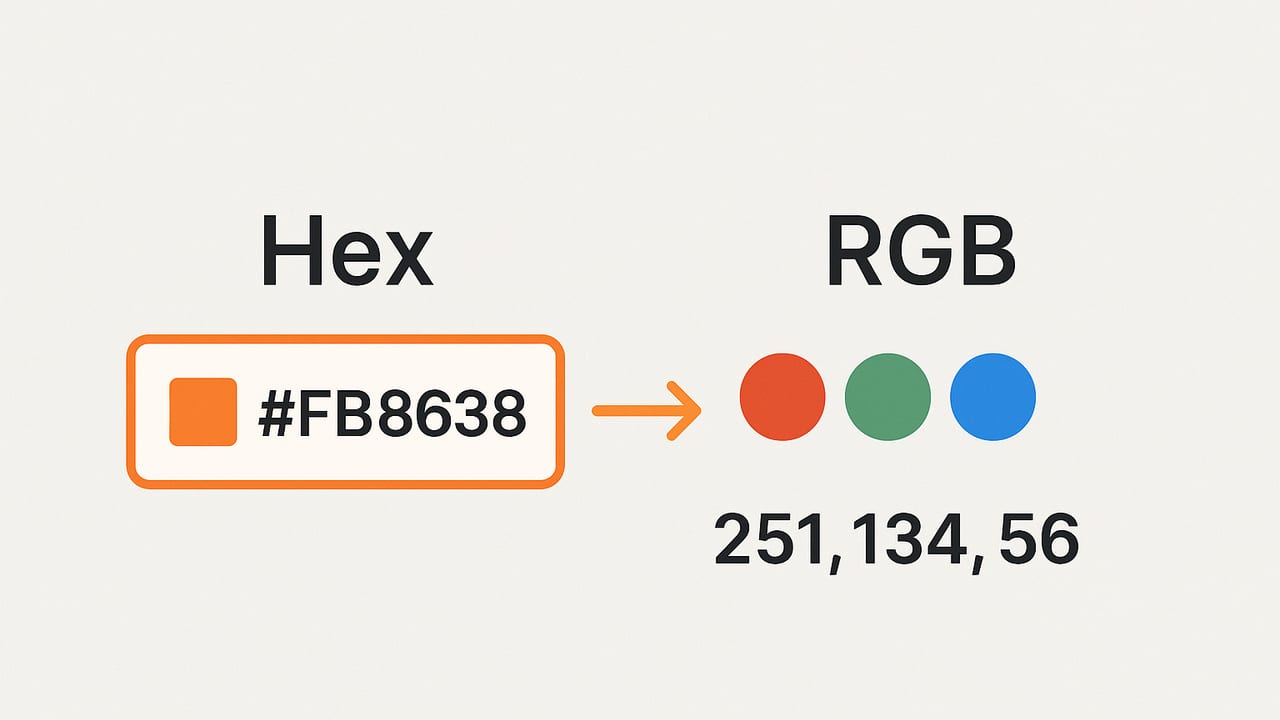
Converting hex to RGB is a foundational skill for anyone working with digital color. Whether you are styling a website, calibrating LED strips, or building a palette from a photo, understanding how hexadecimal color codes map to red, green, and blue channels will make your work more accurate and consistent.
This guide explains what hex and RGB really represent, the exact conversion math, edge cases (including shorthand and alpha), and reliable code you can paste into your projects. You will also find performance tips for bulk conversions and practical workflows for color mixing and accessibility checks.
Hex vs. RGB: What They Encode
Both hex and RGB encode colors in the sRGB color space with 8 bits per channel:
- Hex: A string like
#RRGGBBin base 16 (00–FF), optionally with alpha as#RRGGBBAA. Shorthand forms#RGBand#RGBAare allowed in CSS. - RGB: Three channel values in decimal (0–255), commonly represented as
rgb(255, 0, 153)or as a triplet(255, 0, 153). Alpha is expressed as a fraction 0–1 inrgba().
Importantly, these values are gamma-encoded for sRGB display. That’s perfect for specifying colors, but if you are blending colors or computing contrast you often need to convert to linear RGB first.
How to Convert Hex to RGB (The Exact Math)
For a standard 6-digit hex #RRGGBB:
- Strip the leading hash if present.
- Split into pairs:
RR,GG,BB. - Convert each pair from base-16 to base-10:
0x00–0xFF➝0–255.
Example: #FF0099 ➝ R=255, G=0, B=153.
Shorthand and Alpha
- #RGB expands to #RRGGBB by duplicating each nibble. Example:
#f06➝#ff0066. - #RGBA expands to #RRGGBBAA the same way. Example:
#0f83➝#00ff8833. - #RRGGBBAA encodes alpha as the last byte. In CSS, alpha is interpreted as
AA/255(0–1).
Formula
Given RR in hex, R = 16 * hexDigit(RR[0]) + hexDigit(RR[1]), similarly for G and B. For alpha, A = (AA / 255) as a float.
Tip: Hex input is case-insensitive.
#ff0099and#FF0099are the same.
Hex to RGB Code Examples (JavaScript and Python)
JavaScript: Robust Parser with Alpha
// Converts #RGB, #RGBA, #RRGGBB, or #RRGGBBAA to { r, g, b, a }.
// Returns null for invalid inputs.
function hexToRgb(hex) {
  if (typeof hex !== 'string') return null;
  let s = hex.trim().replace(/^#/, '');
  if (![3, 4, 6, 8].includes(s.length)) return null;

  // Expand shorthand
  if (s.length === 3 || s.length === 4) {
    s = s.split('').map(ch => ch + ch).join('');
  }

  const hasAlpha = s.length === 8;
  const r = parseInt(s.slice(0, 2), 16);
  const g = parseInt(s.slice(2, 4), 16);
  const b = parseInt(s.slice(4, 6), 16);
  let a = 1;
  if (hasAlpha) {
    a = parseInt(s.slice(6, 8), 16) / 255;
    // Clamp in case of weird input
    a = Math.min(1, Math.max(0, a));
  }
  if ([r, g, b].some(v => Number.isNaN(v)) || Number.isNaN(a)) return null;
  return { r, g, b, a };
}

// Example usage
console.log(hexToRgb('#FF0099'));   // { r: 255, g: 0, b: 153, a: 1 }
console.log(hexToRgb('#f06'));      // { r: 255, g: 0, b: 102, a: 1 }
console.log(hexToRgb('#ff006680')); // { r: 255, g: 0, b: 102, a: 0.5 }
Python: Clean Function with Validation
def hex_to_rgb(hex_str: str):
    if not isinstance(hex_str, str):
        return None
    s = hex_str.strip().lstrip('#')
    if len(s) not in (3, 4, 6, 8):
        return None

    # Expand shorthand
    if len(s) in (3, 4):
        s = ''.join(ch * 2 for ch in s)

    try:
        r = int(s[0:2], 16)
        g = int(s[2:4], 16)
        b = int(s[4:6], 16)
        a = 1.0
        if len(s) == 8:
            a = int(s[6:8], 16) / 255.0
        return {'r': r, 'g': g, 'b': b, 'a': a}
    except ValueError:
        return None

# Examples
print(hex_to_rgb('#FF0099'))    # {'r': 255, 'g': 0, 'b': 153, 'a': 1.0}
print(hex_to_rgb('#f06'))       # {'r': 255, 'g': 0, 'b': 102, 'a': 1.0}
print(hex_to_rgb('#ff006680'))  # {'r': 255, 'g': 0, 'b': 102, 'a': 0.5}
Quick Reference: Hex to RGB Examples
| Hex | RGB | Alpha |
|---|---|---|
| #000000 | (0, 0, 0) | 1 |
| #FFFFFF | (255, 255, 255) | 1 |
| #FF0099 | (255, 0, 153) | 1 |
| #f06 | (255, 0, 102) | 1 |
| #336699CC | (51, 102, 153) | 0.8 |
| #0f83 | (0, 255, 136) | 0.2 |
Edge Cases When Converting Hex to RGB
- Invalid lengths: Anything other than 3, 4, 6, or 8 digits is invalid.
- Whitespace: Trim input to handle user-entered values like
' #FF0099 '. - Missing hash: Some data sources omit the leading
#. Your parser can accept both. - Alpha semantics: In CSS hex,
AAis 0–255; inrgba()it’s 0–1. Convert accordingly. - Case sensitivity: Hex digits are case-insensitive; normalize as needed.
- Non-hex characters: Validate with a regex such as
/^#?([0-9a-fA-F]{3,4}|[0-9a-fA-F]{6}|[0-9a-fA-F]{8})$/.
From Hex to RGB, Then to Linear RGB (For Blending and Contrast)
The sRGB values from hex are gamma-compressed. For physically plausible blends and for WCAG contrast checks, convert to linear RGB first:
// sRGB channel (0-255) to linear (0-1)
function srgb8ToLinear(c8) {
  const c = c8 / 255;
  return c <= 0.04045 ? c / 12.92 : Math.pow((c + 0.055) / 1.055, 2.4);
}

// Linear (0-1) to sRGB 8-bit (0-255)
function linearToSrgb8(lin) {
  const c = lin <= 0.0031308 ? 12.92 * lin : 1.055 * Math.pow(lin, 1/2.4) - 0.055;
  return Math.round(Math.min(255, Math.max(0, c * 255)));
}
When interpolating colors (gradients, animations), convert hex ➝ sRGB 8-bit ➝ linear ➝ interpolate ➝ convert back to sRGB for display. This preserves lightness and avoids muddy midpoints.
Accessibility: Contrast from Hex via RGB
WCAG contrast uses relative luminance in linear sRGB. Here’s a compact implementation:
function relativeLuminance({ r, g, b }) {
  const R = srgb8ToLinear(r);
  const G = srgb8ToLinear(g);
  const B = srgb8ToLinear(b);
  return 0.2126 * R + 0.7152 * G + 0.0722 * B;
}

function contrastRatio(hex1, hex2) {
  const c1 = hexToRgb(hex1);
  const c2 = hexToRgb(hex2);
  if (!c1 || !c2) return null;
  const L1 = relativeLuminance(c1);
  const L2 = relativeLuminance(c2);
  const lighter = Math.max(L1, L2);
  const darker = Math.min(L1, L2);
  return (lighter + 0.05) / (darker + 0.05);
}

// Example: Should be >= 4.5 for normal text
console.log(contrastRatio('#1a1a1a', '#ffffff')); // e.g., ~14.0
This pipeline demonstrates why hex to RGB is often the first step in accessibility workflows.
Performance Tips for Bulk Hex to RGB
- JavaScript: Avoid regular expressions inside tight loops; pre-validate once. Use slice/indexing instead of
match(). If converting thousands of colors, store results in typed arrays (Uint8ClampedArray). - Python: For large batches, vectorize with NumPy by parsing hex to integers and using bit operations. Alternatively, precompile a lookup for hex pairs to speed up parsing.
- Caching: Colors repeat frequently in themes. Memoize conversions with a small LRU cache keyed by normalized hex.
Common Mistakes and How to Avoid Them
- Blending in sRGB directly: Interpolating sRGB numbers yields dull midpoints. Convert to linear for gradients and mixes.
- Assuming alpha affects RGB: Alpha is separate.
#RRGGBBAAsets transparency; the RGB triplet is unchanged. - Forgetting shorthand expansion:
#abc≠#aabbcc? Actually it does equal that—duplicate each nibble. - Inefficient parsing: Convert hex pairs with
parseInt(..., 16)orint(..., 16)directly; avoid per-digit math unless profiling shows need.
Hex to RGB in CSS and Design Tools
In CSS, hex, rgb(), and hsl() are interchangeable syntaxes. Modern CSS also supports color(display-p3 ...), which goes beyond sRGB. If you stick to hex and RGB, you are usually in sRGB. Be mindful that some displays and tools can show wide-gamut colors; mixing color spaces can lead to mismatches if converted without proper management.
If your workflow includes exporting palettes, store colors in hex for human readability and in rgb() or JSON triplets for programmatic access. Consistency beats constant conversion.
CLI and One-Liners
Sometimes you need a quick conversion in the terminal:
Node.js
node -e "const h=process.argv[1].replace(/^#/,''),s=h.length<5?[...h].map(c=>c+c).join(''):h;console.log(parseInt(s.slice(0,2),16),parseInt(s.slice(2,4),16),parseInt(s.slice(4,6),16))" '#FF0099'Python
python - <<'PY'
import sys
h=sys.argv[1].lstrip('#')
if len(h) in (3,4): h=''.join(c*2 for c in h)
r,g,b=int(h[:2],16),int(h[2:4],16),int(h[4:6],16)
print(r,g,b)
PY
# Usage: python script.py #FF0099
Beyond RGB: When to Convert to HSL or HSV
While this guide focuses on hex to RGB, designers often move on to HSL/HSV to manipulate hue, saturation, and lightness/value. The typical path is hex ➝ RGB ➝ HSL/HSV. Keep in mind HSL/HSV are still derived from sRGB and should also be linearized before perceptual operations like blending.
Checklist: Getting Hex to RGB Right
- Accept
#RGB,#RGBA,#RRGGBB,#RRGGBBAA. - Trim whitespace and allow missing
#if desired. - Return alpha as 0–1 and RGB as 0–255 integers.
- Validate with a concise regex and fail gracefully.
- Convert to linear RGB for blending, contrast, and luminance.
- Cache repeat conversions in high-throughput applications.
Troubleshooting: Why Does My Converted Color Look “Off”?
- Color management: Your design app, browser, and OS may apply different color profiles. Ensure sRGB consistency or embed/convert profiles explicitly.
- Display gamut: A wide-gamut display may show bright colors that do not match a standard sRGB preview. If targeting the web, soft-proof in sRGB.
- Alpha compositing: A translucent hex will look different over various backgrounds. Compare on the intended backdrop, not on a checkerboard alone.
Practical Example: Gradient That Preserves Lightness
Consider a gradient between #ff0000 and #0000ff:
- Convert hex to RGB (0–255).
- Convert each channel to linear.
- Interpolate channels at t=0.5 (or any step).
- Convert back to sRGB (0–255) and then to hex for CSS.
This produces a midpoint that better matches visual expectations compared to naive sRGB interpolation.
Summary
Hex to RGB conversion is straightforward: split hex pairs, convert base-16 to base-10, and handle optional alpha. The real power comes from what you do next—linearization for blends, contrast checks for accessibility, and efficient batch processing for palettes and themes. With the examples above, you can implement reliable conversions in minutes and build color-smart features with confidence.
If you prefer to capture colors from photos and export precise RGB/HEX/HSL/HSB palettes on iPhone or iPad, the Color Viewfinder app can streamline the workflow while keeping core features free.