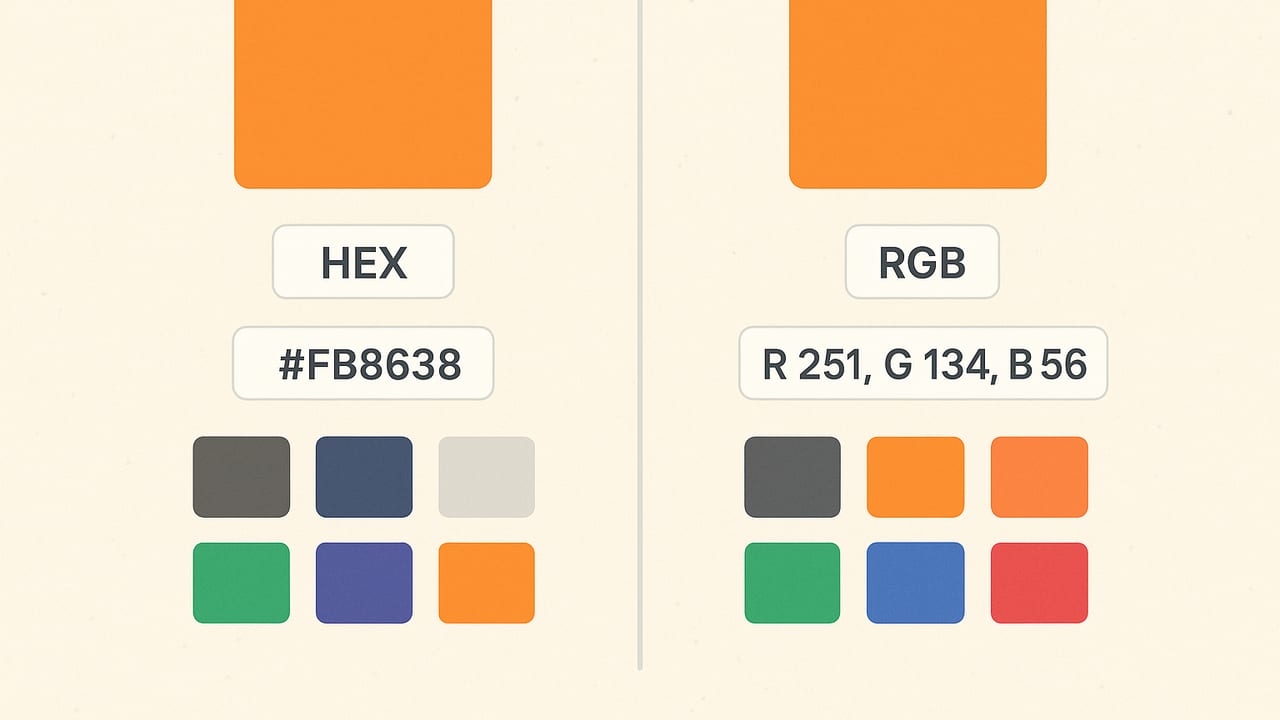
Designers, developers, and DIY decorators all run into the same question sooner or later: what is the practical difference between HEX and RGB color codes, and which should you use? If you arrived here searching for the difference between hex and rbg, you probably meant RGB. The short answer is that both HEX and RGB describe colors in the same sRGB space on screens; they mainly differ in how that color is written, read, and manipulated. The long answer, with examples and a clear decision guide, is below.
First principles: what these formats represent
Every display color you see on the web is ultimately described by three channels: red, green, and blue. In the most common web color space (sRGB), each channel has a value from 0 to 255. So the bright red you know as #ff0000 is exactly the same color as rgb(255, 0, 0). The difference is only the notation: HEX uses base-16 digits (0-9 and a-f), while RGB uses decimal numbers or percentages.
It is also worth noting that modern CSS assumes sRGB unless you explicitly specify a wider-gamut space such as display-p3 using the color() function. If you are working with typical brand colors or web UI, HEX and RGB are interchangeable representations of the same sRGB color.
What is a HEX color?
HEX color notation encodes the red, green, and blue channels as hexadecimal pairs following a hash sign. Common variants include:
- #RRGGBB (six-digit): the most common form. Example: #1e90ff (DodgerBlue).
- #RGB (three-digit shorthand): each digit is doubled to expand to six digits. Example: #0af expands to #00aaff.
- #RRGGBBAA (eight-digit): includes an alpha channel for opacity (00 is fully transparent, ff is fully opaque). Example: #ff000080 is 50% opaque red.
- #RGBA (four-digit): shorthand with alpha. Example: #f008 equals #ff000088.
Why designers like HEX: it’s compact, easy to copy-paste, and frequently used in style guides. Many brand palettes are shared as HEX codes, and the six-digit form is immediately recognizable.
What is an RGB color?
RGB uses decimal values or percentages for each channel. In CSS, you’ll typically see it in one of these forms:
- rgb(255, 0, 0) — integers 0 to 255.
- rgb(100%, 0%, 0%) — percentages 0% to 100%.
- rgba(255, 0, 0, 0.5) — includes alpha as the fourth parameter (0 to 1).
- rgb(255 0 0 / 50%) — the modern, space-separated syntax with a slash for alpha (CSS Color 4).
Why developers like RGB: channel values are human-readable decimals, alpha is explicit and readable, and you can interpolate values easily in logic or animation. RGB plays especially nicely with CSS variables when you want to adjust only opacity or blend channels dynamically.
HEX vs RGB at a glance
| Aspect | HEX | RGB |
|---|---|---|
| Syntax | #RRGGBB, #RGB, #RRGGBBAA, #RGBA | rgb(r, g, b), rgb(r g b / a), rgba(r, g, b, a) |
| Value base | Hexadecimal (00–ff) | Decimal (0–255) or % (0–100%) |
| Alpha support | Via 8-digit HEX (#RRGGBBAA) or 4-digit shorthand | Built-in with rgba() or rgb() / a |
| Readability | Compact; requires hex fluency | More self-explanatory for non-hex readers |
| Precision | 8-bit per channel (same as RGB) | 8-bit per channel (same as HEX) |
| Best for | Brand tokens, static palettes, handoffs | Dynamic UI, animations, variable-driven opacity |
| Wide-gamut | Not by itself (still sRGB) | Use color(display-p3 …) for P3; rgb() stays sRGB |
Are they different color spaces?
No. For typical web use, HEX and RGB refer to the same sRGB color space. The difference is not the color gamut or profile; it’s simply the encoding. When someone says a color “looks different” between HEX and RGB, it’s usually due to a mistake such as mixing up channel order, not accounting for alpha, or copying from a document that uses a different color profile.
Common pitfalls and how to avoid them
- Shorthand misunderstandings: #abc expands to #aabbcc, not arbitrary values. If your result looks off, ensure you’re expanding correctly.
- Alpha confusion: #00000080 and rgba(0,0,0,0.5) represent the same 50% black, but the alpha in HEX is hex-based (00–ff) while rgba uses 0–1 or % in the modern syntax.
- Leading zeros: In HEX, #0a001f is valid; do not drop zeros. In RGB, rgb(0, 10, 31) is the equivalent.
- Copy-paste from design tools: Ensure the export is sRGB, not Display P3, unless you’re targeting color(display-p3 …) in CSS.
- Typo trap: rbg is a common typo; the correct function is rgb().
Converting between HEX and RGB
Conversion is straightforward. Each pair of HEX digits corresponds to one channel. For example, #1e90ff becomes:
- 1e hex = 30 decimal (red)
- 90 hex = 144 decimal (green)
- ff hex = 255 decimal (blue)
So #1e90ff equals rgb(30, 144, 255).
JavaScript helpers you can paste into a project
// Convert #RRGGBB or #RGB (with optional alpha) to an object
function hexToRgb(hex) {
  let h = hex.replace(/^#/, '').trim();
  if (h.length === 3 || h.length === 4) {
    h = h.split('').map(ch => ch + ch).join(''); // expand shorthand
  }
  const hasAlpha = h.length === 8;
  const r = parseInt(h.slice(0, 2), 16);
  const g = parseInt(h.slice(2, 4), 16);
  const b = parseInt(h.slice(4, 6), 16);
  const a = hasAlpha ? parseInt(h.slice(6, 8), 16) / 255 : 1;
  return { r, g, b, a };
}

// Convert RGB(A) to #RRGGBB or #RRGGBBAA
function rgbToHex(r, g, b, a = 1) {
  const toHex = v => v.toString(16).padStart(2, '0');
  const rh = toHex(Math.round(r));
  const gh = toHex(Math.round(g));
  const bh = toHex(Math.round(b));
  if (a < 1) {
    const ah = toHex(Math.round(a * 255));
    return '#' + rh + gh + bh + ah;
  }
  return '#' + rh + gh + bh;
}
Note that both notations cap out at 8-bit channels. If you need high dynamic range or wide gamut precision in CSS, look into lab(), lch(), or color(display-p3 …) from the CSS Color Module Level 4 and beyond.
Alpha, opacity, and maintainability
Transparency is a key area where RGB’s modern syntax often wins for maintainability. Compare these approaches:
- HEX with alpha: background: #0066cc80; /* 50% */
- RGB with alpha: background: rgb(0 102 204 / 50%);
The RGB version exposes the alpha clearly as a percentage. It also pairs elegantly with CSS variables, which lets you keep channels separate from opacity.
A practical CSS variable pattern
:root {
  --brand: 16 185 129; /* teal-ish: r g b */
}

.button {
  background-color: rgb(var(--brand));
  color: white;
}

.button--ghost {
  background-color: rgb(var(--brand) / 12%);
  color: rgb(var(--brand));
}
With this pattern, you can reuse the same base color while varying opacity per component, without maintaining multiple HEX strings.
Accessibility and contrast considerations
Whether you choose HEX or RGB, color contrast requirements remain the same. WCAG recommends a contrast ratio of at least 4.5:1 for normal body text and 3:1 for large text. For example, #1e293b on white achieves strong contrast for body copy. Semi-transparent overlays can reduce readability, so verify final rendered contrast in context.
Tip: Pick the notation that makes it easiest for your team to reliably achieve and test contrast. The format does not affect contrast; the final displayed color does.
When to use HEX vs RGB
Choose HEX when:
- You’re documenting brand palettes in a style guide.
- You want compact, familiar color tokens for handoffs.
- You prefer the brevity of six-digit codes and rarely adjust opacity.
Choose RGB when:
- You need to vary opacity often (hover states, overlays, shadows).
- You’re animating or programmatically adjusting colors.
- You use CSS variables to share channel values across components.
In a modern codebase, many teams mix both: keep source tokens in HEX for portability, then convert to RGB near the point of use for dynamic effects and alpha control.
Precision, performance, and file size
Precision is identical: both describe 8-bit per channel sRGB values. Performance differences on the web are negligible; browsers parse both instantly. File size differences are minimal too, though shorthand HEX (#abc) can be one or two characters shorter than an equivalent rgb() in some cases. Let readability and workflow drive your choice, not micro-optimizations.
Modern color beyond HEX and RGB
If you’re designing for wide-gamut displays, consider using color(display-p3 r g b) with values from 0 to 1, or perceptually uniform spaces like lch() and lab() for smoother ramps and accessible color scales. These are additive options; you can still keep HEX or RGB tokens for backward compatibility while progressively enhancing for capable browsers.
Quick FAQ
Do HEX and RGB produce different colors?
No, not when both describe sRGB values correctly. They are two encodings of the same color.
Which is better for transparency?
RGB is typically clearer because alpha is a separate parameter: rgba(…, 0.5) or rgb(… / 50%). HEX supports alpha (#RRGGBBAA), but it’s less immediately readable for many teams.
Why does my color look different in the browser?
Common causes include mixing up channel order, copying a P3 color into an sRGB-only context, or applying semi-transparent overlays. Confirm your color space and check the computed styles.
Putting it all together
HEX and RGB are two sides of the same coin. HEX shines for portable palette tokens and brand documentation; RGB shines when you need to manipulate colors in code, especially with alpha. For most teams, the best approach is pragmatic: store brand colors in HEX, convert to RGB wherever you need dynamic behavior, and ensure accessibility by testing contrast in real UI contexts.
If you often build palettes from photos or need to extract accurate HEX and RGB values quickly on iPhone or iPad, a lightweight helper like Color Viewfinder can speed up your process while keeping palettes consistent across tools.