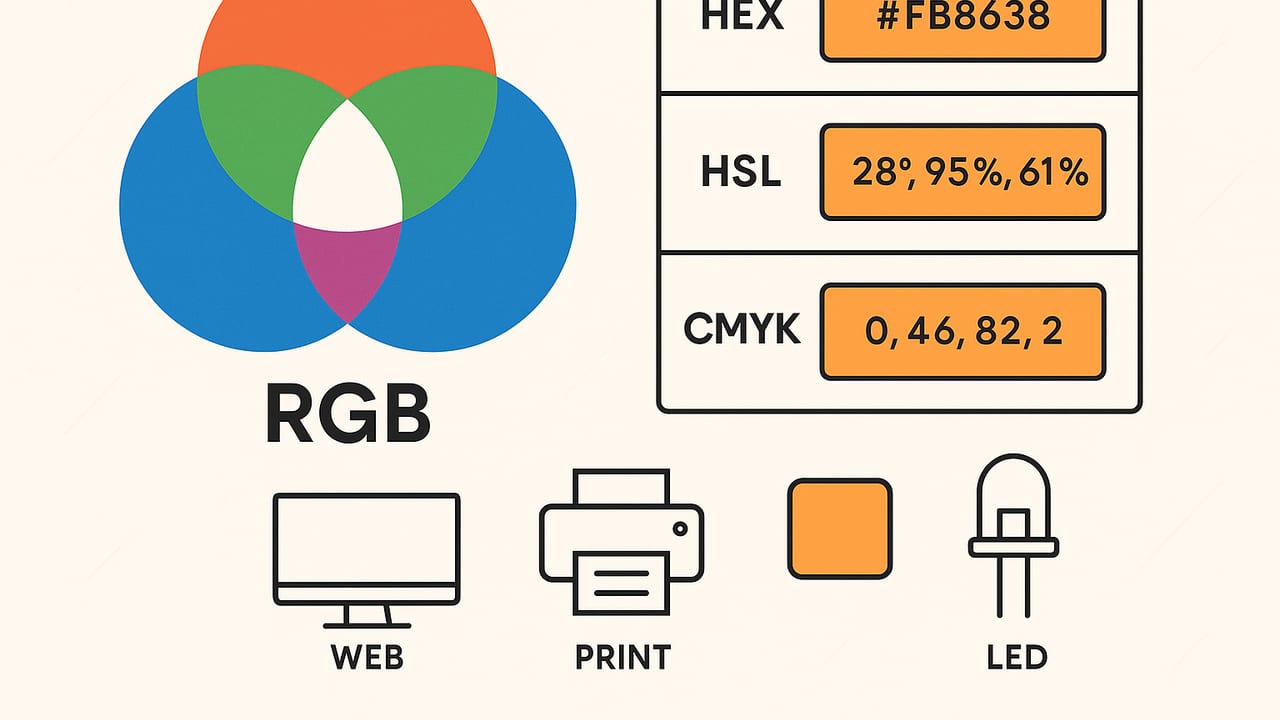
Whether you design interfaces, fine-tune photos, or light a room with LEDs, you work with RGB values every day. Yet RGB can feel deceptively simple: three numbers, often from 0 to 255, that describe red, green, and blue. Under the surface are crucial details—color spaces, transfer functions, bit depth, and conversion pitfalls—that make the difference between precise, accessible color and frustrating mismatches. This guide explains what RGB values mean, how to convert them to HEX, HSL/HSB, and CMYK, and how to use them accurately across web, print, and hardware.
What Are RGB Values, Really?
At their core, RGB values specify how much of the red, green, and blue primaries to mix to produce a color on an emissive display. The most common representation is 8-bit per channel, where each channel ranges from 0 to 255. You will also see floating-point representations from 0 to 1 (common in CSS Color Level 4, graphics APIs, and shader code). These values are additive: more light makes a brighter result, with rgb(0, 0, 0) as black and rgb(255, 255, 255) as white.
However, RGB values are only meaningful with a color space—a definition of the primaries, white point, and transfer curve (often called gamma). The default for the web is sRGB. Two identical triplets like (34, 139, 34) can look different if interpreted as sRGB versus Display P3. That makes color management essential when you move assets between software, devices, or export formats.
Bit Depth, Precision, and Banding
Designers often work in 8-bit channels (256 steps per channel), but photography and compositing benefit from 10-, 12-, or 16-bit channels, which reduce banding and round-off errors. When gradients show visible stepping, increase bit depth or dither. Also consider whether your pipeline is linear-light (physically correct blending) or display-referred (gamma-encoded). Many modern tools offer linear-light compositing for better results, especially with glows, shadows, and transparency.
Color Spaces: sRGB, Display P3, Adobe RGB
Not all RGB is created equal. The same numeric RGB values mapped to different primaries yield different colors. Here are the common spaces you will encounter:
| Color Space | White Point | Transfer Curve | Gamut vs sRGB | Typical Use |
|---|---|---|---|---|
| sRGB | D65 | sRGB curve (~2.2) | Baseline | Web, mobile, most monitors |
| Display P3 | D65 | sRGB curve (~2.2) | ~26% larger | Modern phones/tablets, cinema-derived |
| Adobe RGB (1998) | D65 | Gamma 2.2 | ~35% larger in greens | Photography, print workflows |
Key takeaway: attach and honor ICC profiles when exporting images, and be explicit about your working space in design tools. On the web, assume sRGB unless you deliberately opt into wider-gamut color using CSS Color Level 4 functions like color(display-p3 r g b) on supported devices.
RGB Conversions: HEX, HSL/HSB, and CMYK
You will regularly convert RGB values to formats that suit different tasks. Here is what matters in practice:
- HEX ↔ RGB: HEX is just RGB in base 16.
#228B22corresponds torgb(34, 139, 34). HEX is concise and traditional in CSS; RGB supports alpha and the newer space-separated syntax. - HSL/HSB: Hue, Saturation, and Lightness/Brightness are easier for adjusting tints, shades, and tones. HSL’s lightness is perceptually friendlier than raw RGB for many UI tasks; HSB (or HSV) matches many color pickers but is less perceptually uniform.
- CMYK: A subtractive model used for print. RGB→CMYK conversion depends on the printer profile, ink, paper, and rendering intent. Generic formulas are only approximations; use ICC color management for production accuracy.
Code Snippets for Everyday Conversions
Basic HEX and HSL conversions in JavaScript:
// HEX to RGB (returns { r, g, b })
function hexToRgb(hex) {
  const h = hex.replace(/^#/, '');
  const v = h.length === 3
    ? h.split('').map(c => parseInt(c + c, 16))
    : [h.slice(0,2), h.slice(2,4), h.slice(4,6)].map(s => parseInt(s, 16));
  return { r: v[0], g: v[1], b: v[2] };
}

// RGB to HEX (#rrggbb)
function rgbToHex(r, g, b) {
  const toHex = n => n.toString(16).padStart(2, '0');
  return '#' + toHex(r) + toHex(g) + toHex(b);
}

// RGB [0..255] -> HSL { h:0..360, s:0..100, l:0..100 }
function rgbToHsl(r, g, b) {
  r /= 255; g /= 255; b /= 255;
  const max = Math.max(r, g, b), min = Math.min(r, g, b);
  let h, s, l = (max + min) / 2;
  if (max === min) { h = s = 0; }
  else {
    const d = max - min;
    s = l > 0.5 ? d / (2 - max - min) : d / (max + min);
    switch (max) {
      case r: h = (g - b) / d + (g < b ? 6 : 0); break;
      case g: h = (b - r) / d + 2; break;
      case b: h = (r - g) / d + 4; break;
    }
    h *= 60;
  }
  return { h, s: s * 100, l: l * 100 };
}
For print, rely on your layout app’s color management (e.g., converting sRGB assets to the printer’s CMYK ICC profile) rather than generic formulas.
Using RGB Values in Modern CSS
CSS supports several friendly ways to declare color. Prefer modern syntaxes that improve readability and control:
- Space-separated syntax with alpha:
color: rgb(34 139 34 / 0.8); - HSL for easier tints:
background: hsl(120 60% 34% / 0.5); - Wide-gamut P3 (where supported):
color: color(display-p3 0.2 0.7 0.3);
For accessibility, ensure sufficient contrast between text and background. The WCAG AA minimum for body text is a 4.5:1 contrast ratio. When colors come from a palette, tweak lightness in HSL to meet contrast without shifting hue dramatically.
Extracting and Measuring RGB Values from Images
When sampling colors from photos or screenshots, keep these practices in mind:
- Honor embedded profiles: A JPEG tagged Display P3, if treated as sRGB, will appear dull. Make sure your software is color managed.
- Sample averages, not single pixels: Use a 3×3 or 5×5 average to avoid noise and compression artifacts.
- Beware of overlays: On-device screenshots can include system tints, transparency, or HDR metadata that shifts perceived color.
- Document the space: Record both the numeric RGB and the color space (e.g., ‘34,139,34 in sRGB’).
Accuracy Pitfalls: Why Your RGB Values Don’t Match
Several subtle issues cause color mismatches even when the numbers are right:
- Gamma vs linear-light: Blending in gamma-encoded sRGB darkens midtones. For precise compositing, work in linear-light and convert back for display.
- Premultiplied alpha: If you composite semi-transparent pixels without respecting premultiplication, edges can halo or shift hue.
- Missing ICC profiles: Exporting a P3 image without embedding its profile causes many apps to assume sRGB, desaturating the image.
- Display variability: Two monitors rarely match. Hardware calibration (D65, gamma 2.2, appropriate brightness) reduces, but doesn’t eliminate, variation.
- HDR to SDR mapping: Screenshots or assets captured in HDR may tone-map differently across platforms, altering apparent RGB values.
RGB Values for LEDs and Addressable Lighting
In hardware, the same numeric RGB often looks dim because human perception is non-linear. Apply gamma correction (commonly ~2.2) when mapping design RGB to LED PWM values. Many LED libraries let you set a gamma or brightness curve. If not, you can roll your own:
# Gamma-correct an 8-bit RGB tuple for LEDs (Python)

def gamma_correct(rgb, gamma=2.2):
    out = []
    for c in rgb:
        x = max(0, min(255, c)) / 255.0
        y = x ** gamma
        out.append(int(round(y * 255)))
    return tuple(out)

print(gamma_correct((34, 139, 34)))
Also consider color calibration per LED strip model; greens can dominate on some strips, requiring channel scaling. For smooth fades, compute transitions in linear-light, then apply gamma at the end.
Quick Reference: Common Named Colors
| Name | RGB | HEX | Notes |
|---|---|---|---|
| Black | rgb(0, 0, 0) | #000000 | Absolute dark |
| White | rgb(255, 255, 255) | #FFFFFF | Absolute light |
| Firebrick | rgb(178, 34, 34) | #B22222 | Rich red for alerts |
| ForestGreen | rgb(34, 139, 34) | #228B22 | Natural UI success state |
| RoyalBlue | rgb(65, 105, 225) | #4169E1 | Primary CTAs, links |
Troubleshooting Checklist for RGB Mismatches
- Confirm the color space of your asset (sRGB, P3, Adobe RGB). Embed ICC profiles on export.
- Ensure your app or browser is color managed. Test the same image in a known-managed viewer.
- Check gamma/transfer handling. Do you composite in linear-light when needed?
- Verify alpha premultiplication settings in export and compositing.
- Calibrate displays; compare on multiple devices to catch outliers.
- For print, soft-proof with the correct CMYK ICC profile and intent.
- For LEDs, apply gamma correction and, if necessary, per-channel calibration.
FAQ: Your Top Questions About RGB Values
Are RGB values universal?
No. The same triplet means different colors across spaces like sRGB and Display P3. Always pair RGB values with a color space and maintain color management in your workflow.
Why do my on-screen colors not match print?
Displays are emissive (RGB), print is reflective (CMYK). Conversions must use the printer’s ICC profile, paper characteristics, and rendering intent. Soft-proof and adjust in a color-managed app; don’t rely on generic RGB→CMYK math.
Should I use 0–255 or 0–1 for RGB?
Both are fine. 0–255 is common in assets and legacy CSS; 0–1 floats are standard in modern CSS functions and graphics APIs. The choice doesn’t affect color if your color space and transfer are consistent.
When do I need 16-bit color?
Use higher bit depth for photography, gradients, and heavy compositing to avoid banding and rounding artifacts. Export to 8-bit when targeting the web unless you need HDR or deep color.
Is HSL better than RGB for UI design?
HSL is easier for systematic tints and shades because lightness is explicit. But HSL isn’t perfectly perceptual; for advanced workflows, explore LCH or OKLCH for more uniform adjustments.
Putting It All Together
RGB values are the lingua franca of digital color, but they only sing when paired with the right context: a proper color space, linear-light math when blending, and mindful conversions to HEX, HSL/HSB, and CMYK. Use modern CSS to express color clearly, embed ICC profiles when exporting images, and apply gamma for LEDs. With these practices, the RGB numbers you choose will consistently match the color you intend—across screens, prints, and lights.
Need a quick way to sample colors from photos and grab accurate RGB, HEX, HSL, and HSB values on the go? An iOS tool like Color Viewfinder can extract colors and build palettes you can export into your workflow.